
EasyClip: Clipper for Evernote1.60 - Get APK
You'll be able to download in few seconds.
Publisher Description
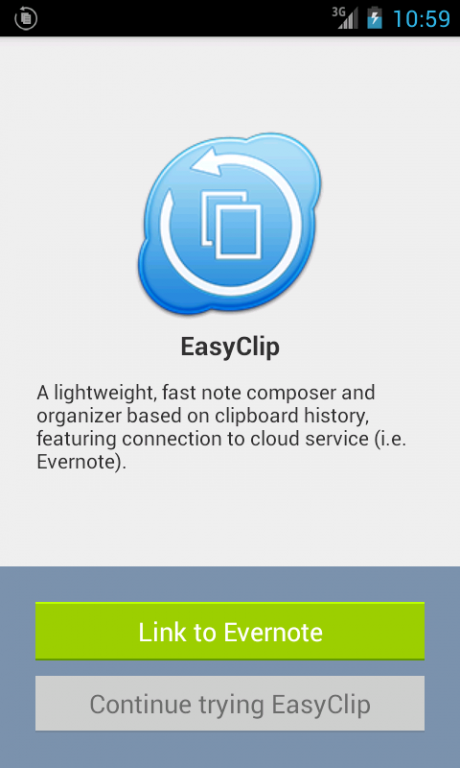
EasyClip is a lightweight, but powerful clipboard manager, featuring connection to Evernote.
Start EasyClip (enable clipboard monitoring) and switch to other apps. Copy any text, EasyClip will save the clippings in background. When finish your work, return to EasyClip and organize the clippings. Send clippings/notes to cloud service.
Try it with features:
☆ Save texts from any apps by simply copying them
☆ Make clippings from website, pdf, documents etc quick and easy
☆ Add image as clip, and support merge image and text together
☆ Work in background so that you don't need to switch between apps
☆ Merge multiple clippings into one, organize their order with ease
☆ Send clips/notes to cloud service (i.e. Evernote)
☆ Support Tags and Notebooks
☆ Battery friendly, Limited system resource usage
☆ Robust and Stable, High performance
☆ Absolutely FREE! Great support!
Comments from Users
"Perfect tool for my tablet! I can use this for research, but I can also save a link for later, copy comments from Facebook, sort the order of the clipped text for the note when I create it in Evernote. Delete it if I change my mind. It is a clipboard for my tablet, with more functions." -- Sue Barron
"Superb research tool! Does exactly what I need it to. With this I can grab text from any app, then sequence and combine these and share result to evernote. Great for research." -- Paul Ripley
"Just what I was looking for!" -- Marcel Kaczala
Supported Languages:
- English
- Simplified Chinese
- Traditional Chinese
- Korean
- Japanese
- French
Your feedback is very important to us, please email us: easy4u.co@gmail.com, or write feedback in the app.
Permissions:
✓ Internet access: to connect to the cloud service and send feedback
✓ Access network state: to check internet connectivity
✓ Access WiFi state: to check wifi connectivity
✓ Receive boot completed: for automatic startup (can be disabled in settings)
✓ Read phone state: for debugging, only work when send us logs
✓ Write to external storage: for debugging, only work when send us logs
✓ Read logs: for debugging, only work when send us logs
About EasyClip: Clipper for Evernote
The company that develops EasyClip: Clipper for Evernote is Easy4U Ltd.. The latest version released by its developer is 1.60.
To install EasyClip: Clipper for Evernote on your Android device, just click the green Continue To App button above to start the installation process. The app is listed on our website since 2014-10-20 and was downloaded 0 times. We have already checked if the download link is safe, however for your own protection we recommend that you scan the downloaded app with your antivirus. Your antivirus may detect the EasyClip: Clipper for Evernote as malware as malware if the download link to co.easy4u.easyclip is broken.
How to install EasyClip: Clipper for Evernote on your Android device:
- Click on the Continue To App button on our website. This will redirect you to Google Play.
- Once the EasyClip: Clipper for Evernote is shown in the Google Play listing of your Android device, you can start its download and installation. Tap on the Install button located below the search bar and to the right of the app icon.
- A pop-up window with the permissions required by EasyClip: Clipper for Evernote will be shown. Click on Accept to continue the process.
- EasyClip: Clipper for Evernote will be downloaded onto your device, displaying a progress. Once the download completes, the installation will start and you'll get a notification after the installation is finished.
Program Details
System requirements
Download information
Pricing
Version History
version 1.60
posted on 2014-10-20
- Accept shared text and image,- Fix image thumb display bug,- Add Exit menu item,- Support backup & restore,- Support use image as clips,- Minor UI changes,- Fix minor bugs
Disclaimer
External Download
We do not host EasyClip: Clipper for Evernote on our servers. We did not scan it for viruses, adware, spyware or other type of malware. This app is hosted by Galad and passed their terms and conditions to be listed there. We recommend caution when installing it.
The APK Download link for EasyClip: Clipper for Evernote is provided to you by apps112.com without any warranties, representations or guarantees of any kind, so access it at your own risk.
If you have questions regarding this particular app contact the publisher directly. For questions about the functionalities of apps112.com contact us.
